My Speaker Not Working? Here Is How to Fix It
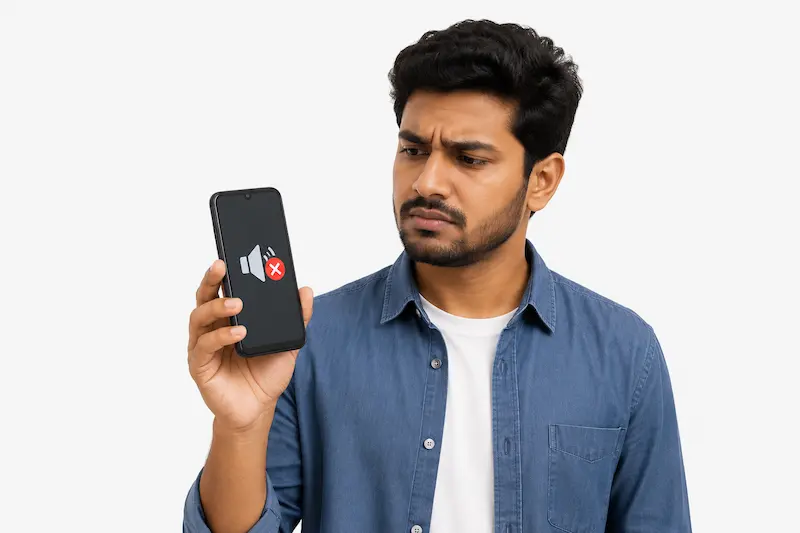
Your phone speaker stopped working, and the cause is not always obvious. Water, dust, a settings issue, and physical damage account for most speaker problems. The challenge is choosing the right fix for the right cause.
Most people searching for how to fix my speaker not working try random solutions without identifying the cause first. This wastes time and can create new problems.
This guide starts with diagnosis first. It covers how to identify your exact speaker problem, how to safely remove water or dust using sound frequencies, which built-in tools on Indian phones like Redmi, Samsung, and Realme can help, and when a repair shop visit is actually necessary.
Quick Answer — Why Is My Speaker Not Working?
Most phone speakers stop working because of five causes: volume settings, Bluetooth routing, dust blockage, water damage, or physical hardware failure.
- Check first: Media volume, silent mode, and Do Not Disturb
- Check second: Disconnect all Bluetooth devices like earphones or smartwatches
- If phone got wet: Use a sound-based water ejection tool immediately
- If volume is dropping gradually: Dust inside the speaker grill is the likely cause
- If nothing works: Physical damage may need professional repair
According to a 2025 OPPO India study, 42% of Indian smartphone users have paid for repair costs that early action could have avoided. Most speaker problems are fixable at home without a repair shop.
What Type of Speaker Problem Do You Have?
The fastest way to fix a speaker problem is to identify the type of problem first. A muffled speaker, a silent speaker, and a distorted speaker rarely have the same cause.
No Sound at All
Complete silence is often caused by volume settings, Bluetooth routing, software issues, or hardware damage. Check media volume, Bluetooth connections, and Do Not Disturb before assuming the speaker is broken. If sound works in Safe Mode but not normally, a recently installed app is causing the conflict. Test across apps like YouTube, WhatsApp, and your music player to confirm.
Muffled or Distorted Sound
Muffled sound means something is physically blocking the speaker. Water or debris makes audio sound dull, and you may hear crackling on music or a watery effect on calls. Many budget Android phones like Redmi Note, Realme C-series, and Samsung Galaxy M-series have limited or no water-resistance protection. If your speaker sounds muffled after water exposure, use the Fix My Speaker tool at the top of this page before trying anything else.
Works With Headphones but Not the Main Speaker
This often points to stuck headphone mode — dust or moisture inside the audio port keeps audio routed to headphones after removal. Restart the phone, clean the jack with a dry soft brush, and manually select the phone speaker in Settings → Sound.
Works on Calls but Not for Music or Videos
Call audio uses the earpiece at the top. Media audio uses the loudspeaker at the bottom. Check media volume separately in Settings → Sound — it has its own slider. Also check whether the problem is app-specific before assuming hardware failure.
Check These Settings Before Anything Else
Settings issues cause most speaker problems that look like hardware damage.
Media Volume and Silent Mode
The most common reason a phone speaker produces no sound is media volume set to zero. Android and iPhone manage volume levels independently—ringtone volume can be maximum while media volume stays at zero. Samsung recommends checking media volume first when diagnosing speaker problems.
Check in order: press volume up while playing any video; check Settings → Sound sliders on Android; check Settings → Sounds and Haptics on iPhone; and verify the silent switch on iPhone shows no orange strip. Also check sound balance in Settings → Accessibility → Audio—a fully shifted balance makes one speaker appear silent.
Bluetooth Device Still Connected
If a Bluetooth device like earphones, a smartwatch, or a car speaker is still connected, all audio routes there instead of the built-in speaker. Wireless earbuds like AirPods and Galaxy Buds stay connected even inside their charging cases. Turn Bluetooth off completely and test. If the problem returns, go to Settings → System → Reset → Reset Wi-Fi, mobile, and Bluetooth.
Do Not Disturb and Volume Limiter
Do Not Disturb blocks media audio even at maximum volume. Check Settings → Sound → Do Not Disturb on Android or Settings → Focus on iPhone. If available on your device, check Settings → Sound → Volume limiter and disable any active restriction.
Restart and Safe Mode
A restart clears temporary software bugs in 30 seconds. If the problem continues, boot into Safe Mode—press and hold the power button, then press and hold Power Off until Safe Mode appears. If the speaker works in Safe Mode, a third-party app like an equalizer or volume booster is blocking audio. Uninstall recently added apps and restart normally.
Speaker Stopped Working After Water or Rain
Water exposure is one of the most common causes of sudden speaker problems, especially during India’s monsoon season. Many budget phones like Redmi Note, Realme C-series, and Vivo Y-series have limited or no water-resistance protection.
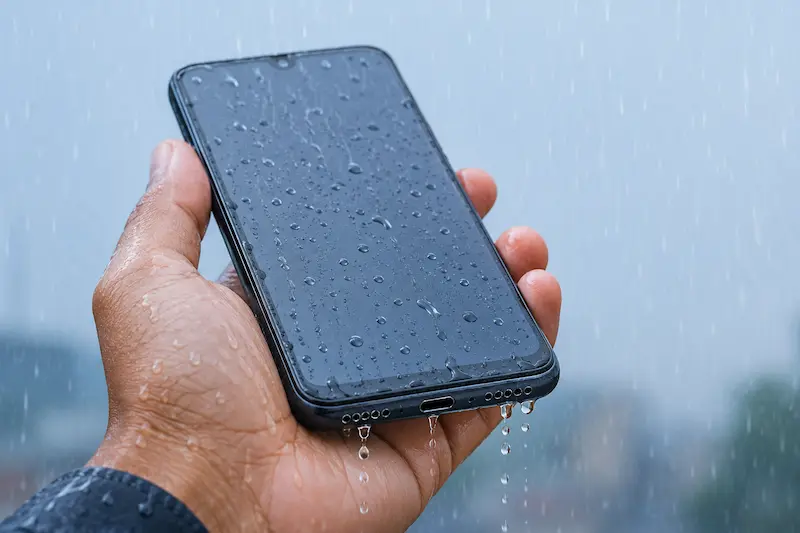
Signs Your Speaker Has Water Inside:
Water damage appears suddenly—not gradually. Look for muffled sound immediately after rain or a splash, crackling during playback on apps like YouTube or WhatsApp, volume dropping without any settings change, or water droplets visible through the speaker mesh. Samsung notes that water can cause unclear sound even on water-resistant phones because the speaker opening remains unsealed.
What to Do in the First 30 Minutes: Power off immediately—electrical current through wet circuits starts corrosion within minutes.
- Turn the phone off and leave it off
- Remove the case, SIM tray, and memory card
- Wipe with a dry microfiber cloth—not paper towels, which leave fibres
- Hold speaker facing down and tap gently against your palm 3 to 4 times
- Place near silica gel packets in a sealed bag for at least 30 minutes
Do not charge the phone, use a hair dryer, put it in rice, or insert anything into the speaker mesh.
How to Remove Water Using Sound
To remove water from a phone speaker, dry the outside first, place the speaker facing downward, and run a low-frequency water ejection sound for one full cycle. This method plays a 165Hz tone that vibrates the speaker and pushes water outward. Apple Watch uses the same acoustic ejection principle. Testing by The Verge with iFixit confirmed sound-based ejection pushes water out of speaker areas effectively.
Use the Fix My Speaker Dust Cleaner tool: open speakercleanerhub.com, remove your case, turn volume to maximum, disconnect Bluetooth, place speaker facing down, select Water Eject mode, and press play. Run for 60 to 90 seconds and repeat 2 to 3 times for heavy exposure.
Why Rice and Hair Dryers Make It Worse
Apple explicitly warns against putting a wet iPhone in rice. Rice absorbs ambient air moisture but cannot reach water trapped inside the speaker. Fine starch dust from rice mixes with moisture and creates residue that blocks ports further. Hair dryers may push moisture deeper and can damage internal seals and components. Use silica gel packets and acoustic water ejection instead.
Speaker Getting Quieter Over Time — Dust and Lint
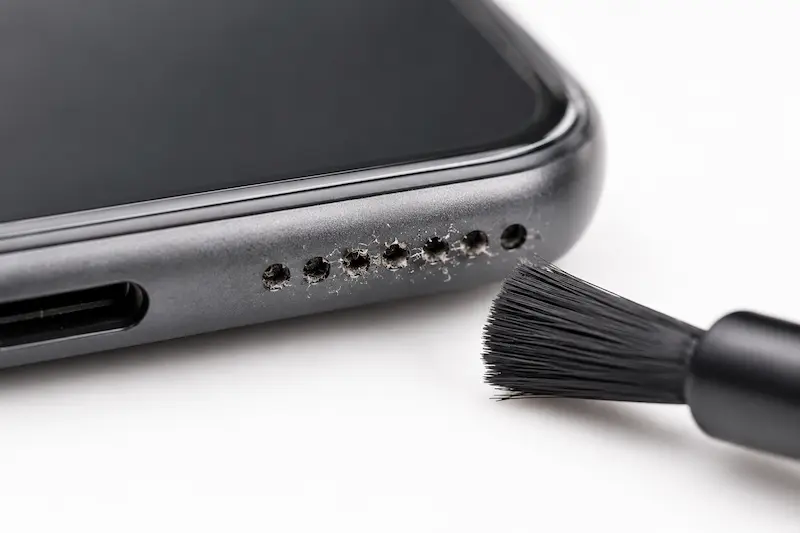
Gradual volume loss over weeks is often caused by dust and lint—not hardware failure. If your speaker was louder 4 to 8 weeks ago and nothing dropped or got wet, dust is the most likely cause.
Signs Your Speaker Grill Is Blocked
Volume drops gradually with no triggering event. Sound becomes muffled and distant. Voices on calls sound unclear. The grill looks darker under direct light. The problem improves slightly after brushing; this confirms dust as the cause. Dust buildup is common on phones like Redmi, Realme, Vivo, and Samsung Galaxy models carried in pockets in dusty environments like markets and construction sites.
Safe Ways to Clean the Speaker Mesh
The safest method is a soft dry brush at a 45-degree angle using short single-direction strokes for 10 to 20 seconds. Adhesive putty like Blu-Tack pressed gently for 3 seconds lifts compacted debris. For oily residue, use a barely damp cloth with 70% isopropyl alcohol in light circular motions. Never use compressed air, needles, water sprays, or cotton buds. Use Dust Cleaner Mode on the Fix. My Speaker Dust Cleaner mode uses acoustic pulses to push fine particles outward from behind the mesh where brushes cannot reach. Open speakercleanerhub.com, remove your case, turn volume to maximum, select Dust Cleaner mode, and run for 2 minutes. Brush the mesh gently after the cycle. For Redmi and Xiaomi phones, try the built-in Clear Speaker feature under Settings → Additional Settings first.
Built-In Speaker Fix Features on Indian Phones
Several Indian smartphone brands include a built-in cleaning or diagnostic feature most users never find. Try your phone’s native tool first before using any external solution.
Redmi and Xiaomi: Go to Settings → Additional Settings → Clear Speaker. Toggle the switch for a 30-second cleaning cycle. Hold the speaker facing down during the cycle.
Realme, OPPO, and OnePlus: Some models include Speaker Cleaner at Phone Manager → Tools → More → Accessibility and Convenience → Speaker Cleaner. Availability varies by model and software version.
Samsung: Open Samsung Members → Support → Phone Diagnostics → Speaker. The app plays a test tone and displays a normal result or flags a hardware failure. If the diagnostic passes but sound is still muffled, the problem is water or dust—not hardware.
Vivo and POCO: Vivo has no built-in cleaning feature. Check volume, disconnect Bluetooth, and restart first. POCO phones on MIUI may include Clear Speaker under Settings → Additional Settings. iPhone: iOS has no built-in water ejection feature. Open Safari, go to speakercleanerhub.com, turn the volume to maximum, disconnect AirPods, and select Water Eject or Dust Cleaner mode.
Signs Your Speaker Has Physical Damage
Consistent buzzing or rattling that does not change with volume usually indicates internal speaker damage. Sharp crackling across all apps that continues 48 hours after drying may indicate internal damage or corrosion. Intermittent sound that cuts in and out unpredictably points to a hardware connection problem. Complete silence after a drop can mean internal components were damaged by impact. Distortion that worsens as volume increases separates physical damage from water or dust blockage. Visible discoloration around the speaker grill after water exposure may indicate corrosion. A burning smell or heat from the speaker area indicates an electrical fault—stop using the speaker immediately.
Restart the phone, run the sound test on this page, and try one final cleaning cycle. If no improvement follows, professional repair is likely the next step.
When Should You Visit a Service Center?
Visit a service center when the speaker shows no improvement after cleaning, drying, and settings checks.
Signs You Need Professional Repair
- No sound across all apps like YouTube, WhatsApp, and the phone dialer
- Buzzing or distortion continues after cleaning and drying
- Sound cuts in and out after a hard drop
- Phone refuses to power on after liquid exposure
- Samsung Members diagnostics show a hardware failure
Authorized Versus Local Repair Shops: Authorized centers use genuine parts, restore IP67 and IP68 waterproof seals, and provide a 3 to 6 month warranty. They cost 20 to 50% more than local shops with 1- to 3-day turnaround. Local services like Cashify, Buzzmeeh, and HelloRE offer same-day doorstep repair at lower cost but may use third-party parts and void the manufacturer’s warranty. Choose authorized for phones under warranty or premium devices like the iPhone 14 and Samsung Galaxy S23. Choose local for budget devices like the Redmi Note 13 and Vivo Y100. Back up your data before any repair.
If repair cost exceeds 50% of the phone’s current value, replacement is more practical. Most users do not need speaker replacement—water, dust, and settings issues cause the majority of complaints.
Frequently Asked Questions
Conclusion
In conclusion, most phone speaker problems are caused by water, dust, a settings issue, or physical damage. Identifying the right cause first saves time and avoids making things worse.
Settings fixes take under 2 minutes. Water damage responds best to acoustic ejection within the first 30 minutes. Dust clears with a soft brush and Dust Cleaner mode. Physical damage needs professional repair.
If your speaker is not working, most problems are fixable at home without spending money. Professional repair becomes necessary only when all troubleshooting produces no improvement. Speaker replacement in India costs between ₹500 and ₹3,000 for most Android devices.
Start with the Fix My Speaker tool at the top of this page. Set your volume to maximum, select the mode that matches your problem, and press Play.